
A form stops sending mails. A plugin needs an update. A page should get a new text before the weekend. Until now all of this reached us by e-mail, phone, WhatsApp or a note in a meeting. Things got lost, and nobody saw in one place what was open and what was done.
That is why we built Chat Werk. In the app it is simply called Werk. It is the one place where you and the Codemenschen team look after your website together. Each website is one conversation. Next to it you find an AI assistant that knows your site, the status of your website and your visitor numbers.
One chat per website
Write what you need, like in a messenger. Add a screenshot or a file. The team answers in the same chat, and you see when somebody is working on it. When a task is done, Werk asks you to check it, and you answer with Works or Not yet.
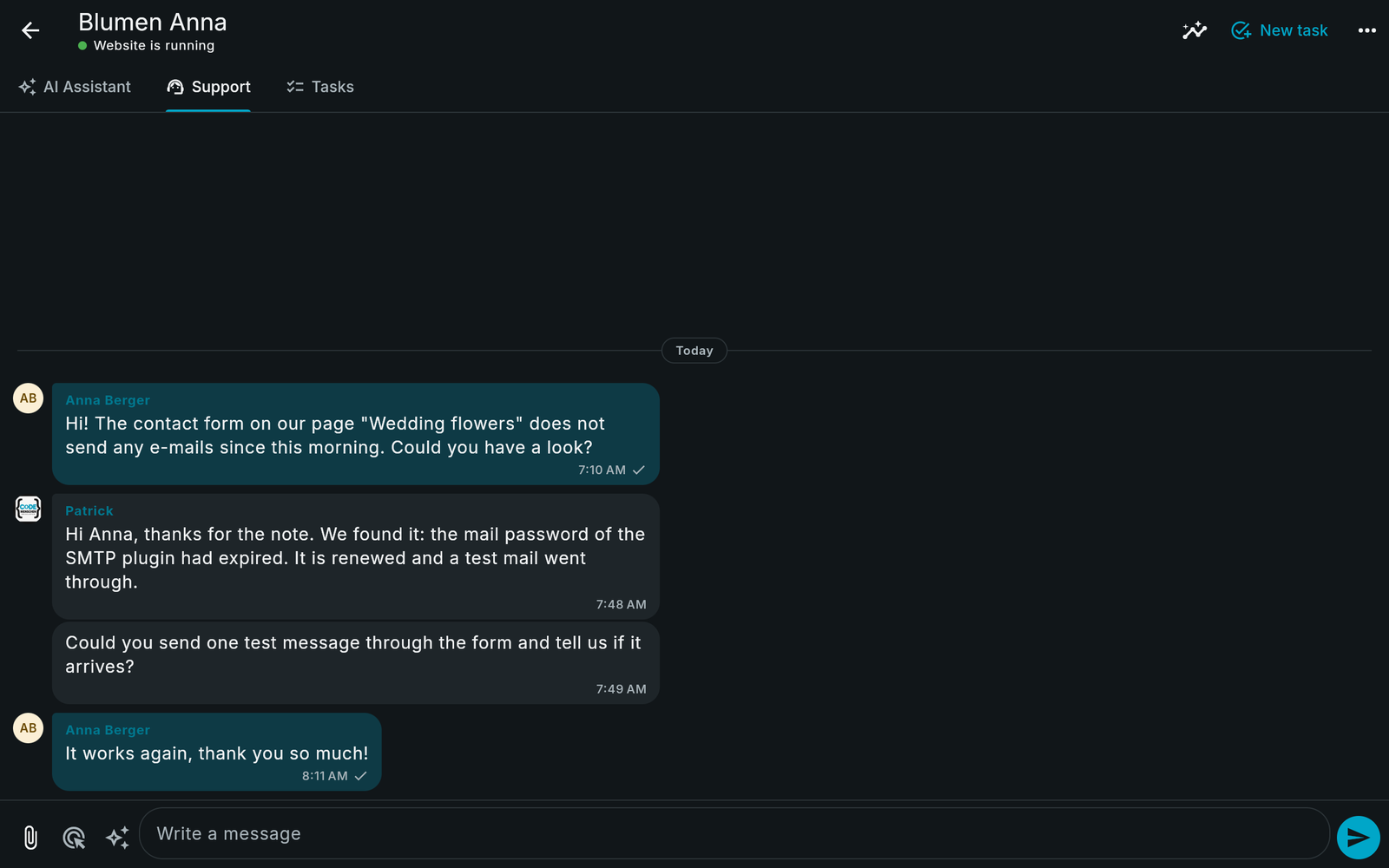
You write in your language and read our answers in your language. German, English and Vietnamese are built in, and the original text is always kept.
Something looks wrong on a page? Open the page in Werk and click the element. We see exactly which part you mean.
An AI assistant that knows your website
Every website has its own AI assistant. Ask it how the site is doing, which plugins need updates, whether the cron runs or what an entry in the error log means. It answers from the real data of your website, not from guesses.
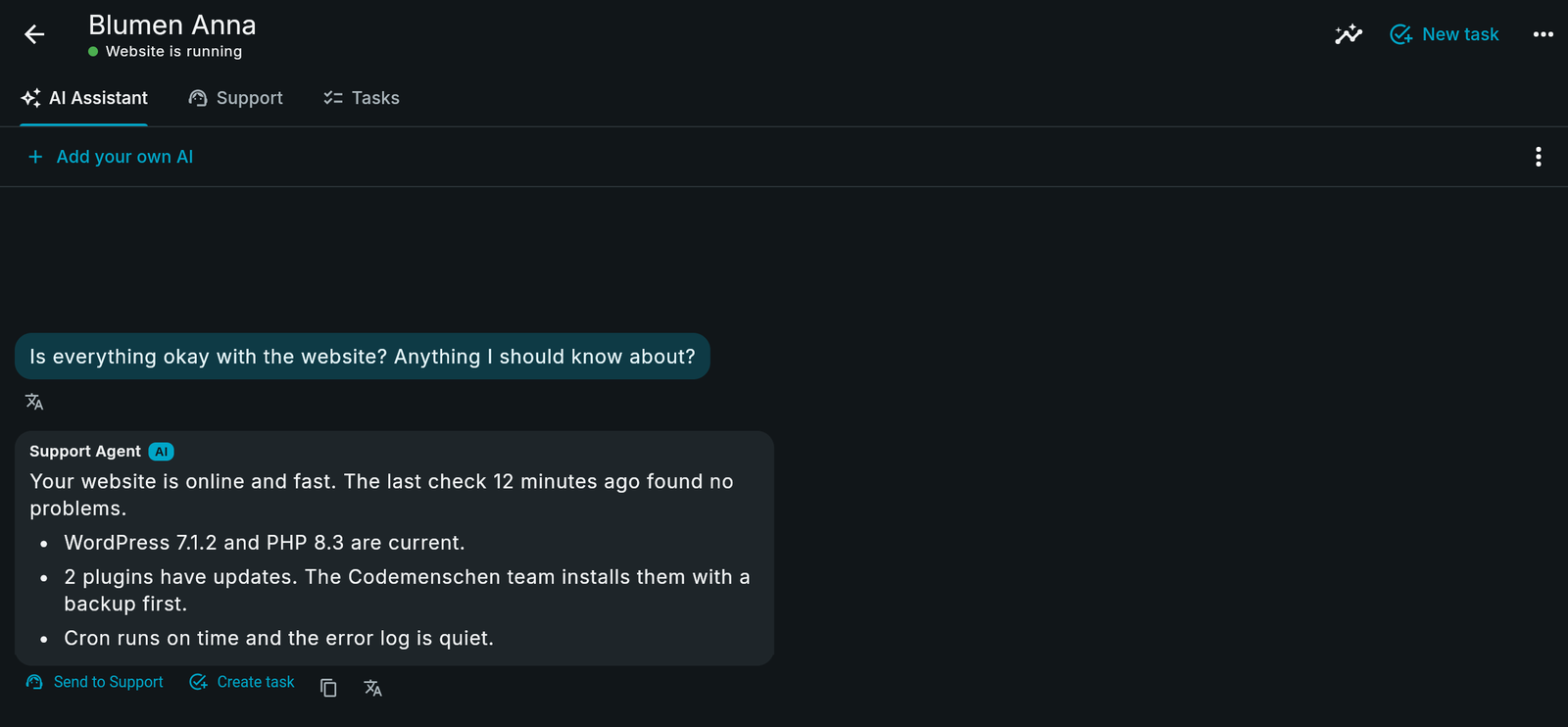
The assistant can also draft. Ask for a new page or a changed text, and it prepares a draft. Nothing goes live on its own. You look at the preview and press Apply, and every change can be restored. A good answer can go to the team with one click, as a message or as a task.
Your visitors, without cookies
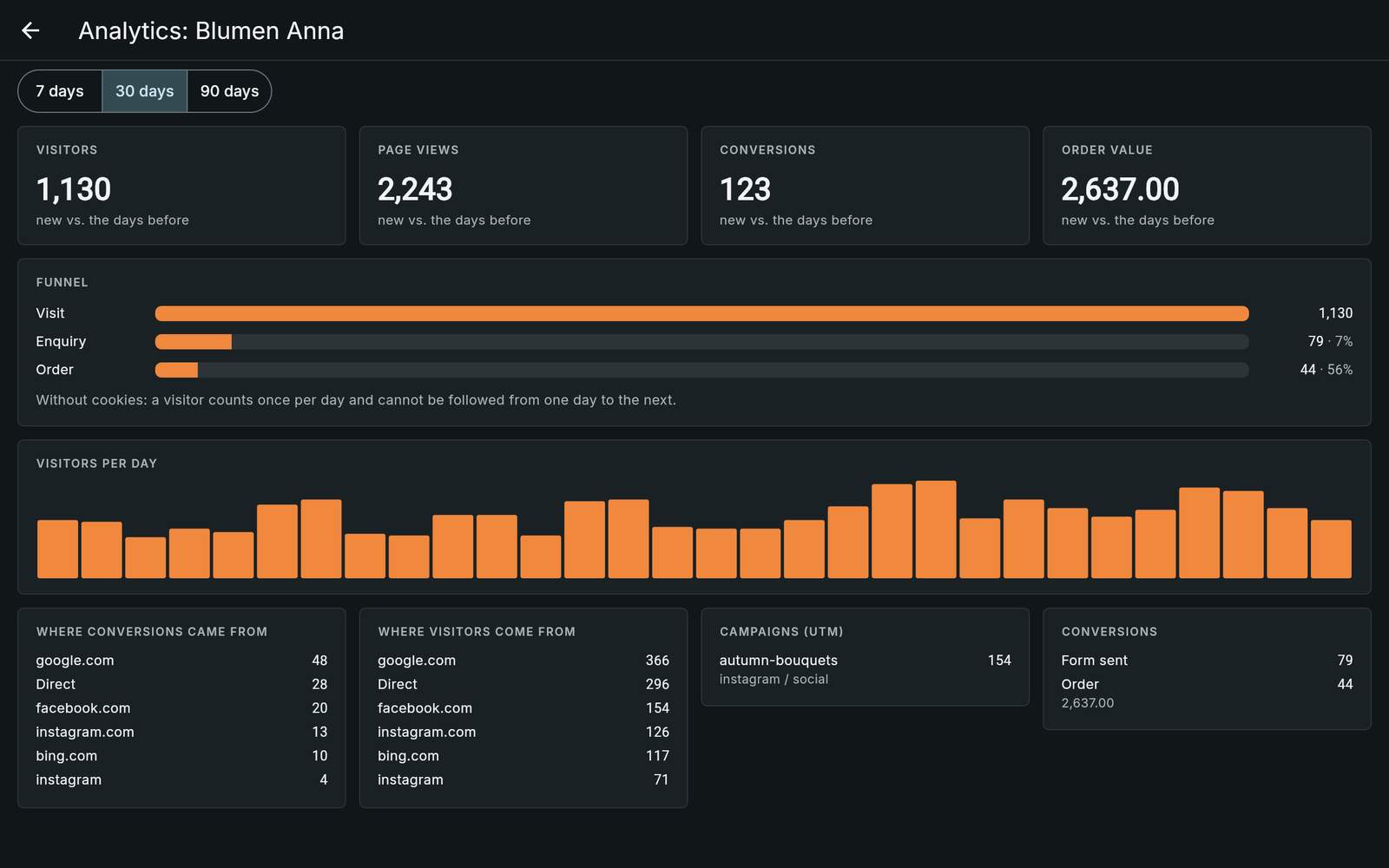
Werk counts visitors, page views, where people come from, your campaigns and what they do on the site: contact forms, calls, e-mails and orders from WooCommerce or Easy Digital Downloads. It sets no cookies and stores no IP addresses, so no cookie banner is needed for it.
If you advertise on Facebook or Instagram, Werk can report your conversions to Meta directly from the server. That happens only for visitors who agreed to it in your cookie banner.
We look after it, you see it
Every hour Werk checks your website: is it online, which WordPress and PHP version runs, which updates are waiting, does the cron run, is the error log quiet. If your website goes down, the team sees it in Werk.
Maintenance runs from Werk as well: backups, updates of WordPress and plugins with a snapshot before each one, a malware scan and a security check. A person on our team starts every run, and the results stay in Werk.
Connected in one minute
For a WordPress website you need the free plugin Codemenschen Werk Probe. Since version 1.7.0 you no longer copy a token. It takes three steps.
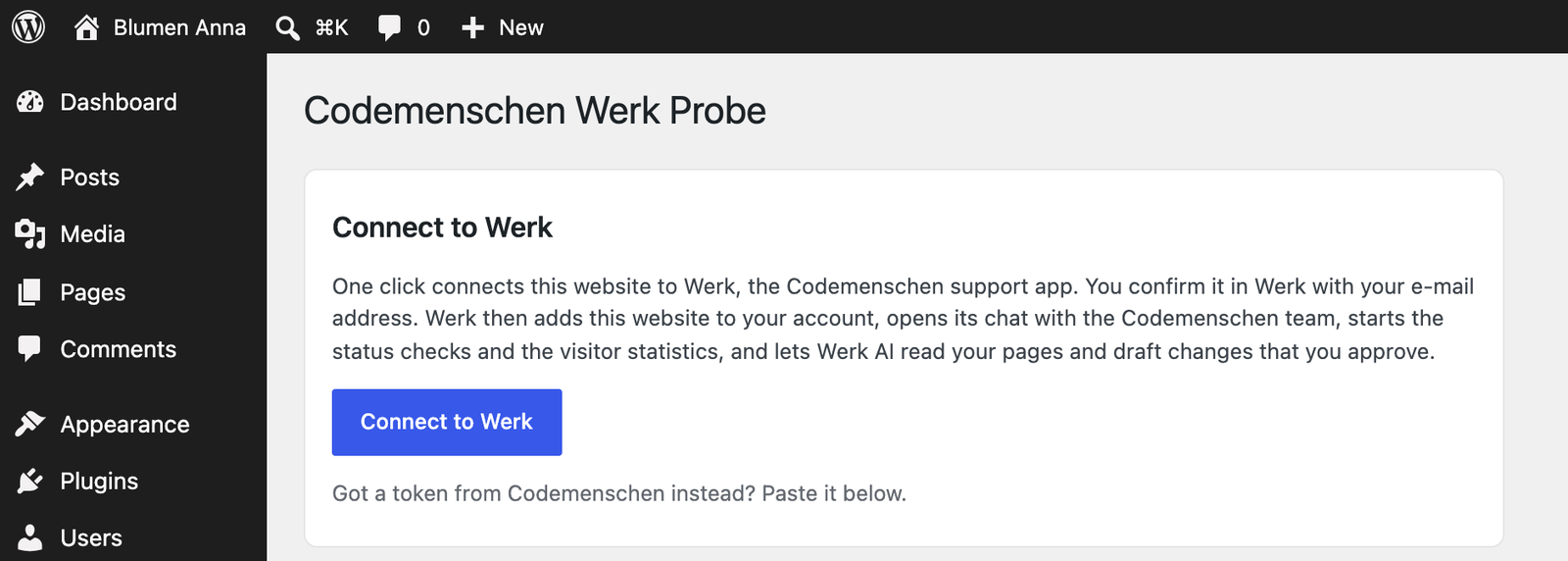
1. Install the plugin and click Connect to Werk
Upload the plugin under Plugins > Add New > Upload Plugin and activate it. Then open Settings > Codemenschen Werk Probe and click Connect to Werk.
2. Confirm in Werk
Werk opens in your browser. Enter your e-mail address and tap the link in the e-mail. There is no password. Then click Connect website. If you are new to Werk, your account is created on the way.
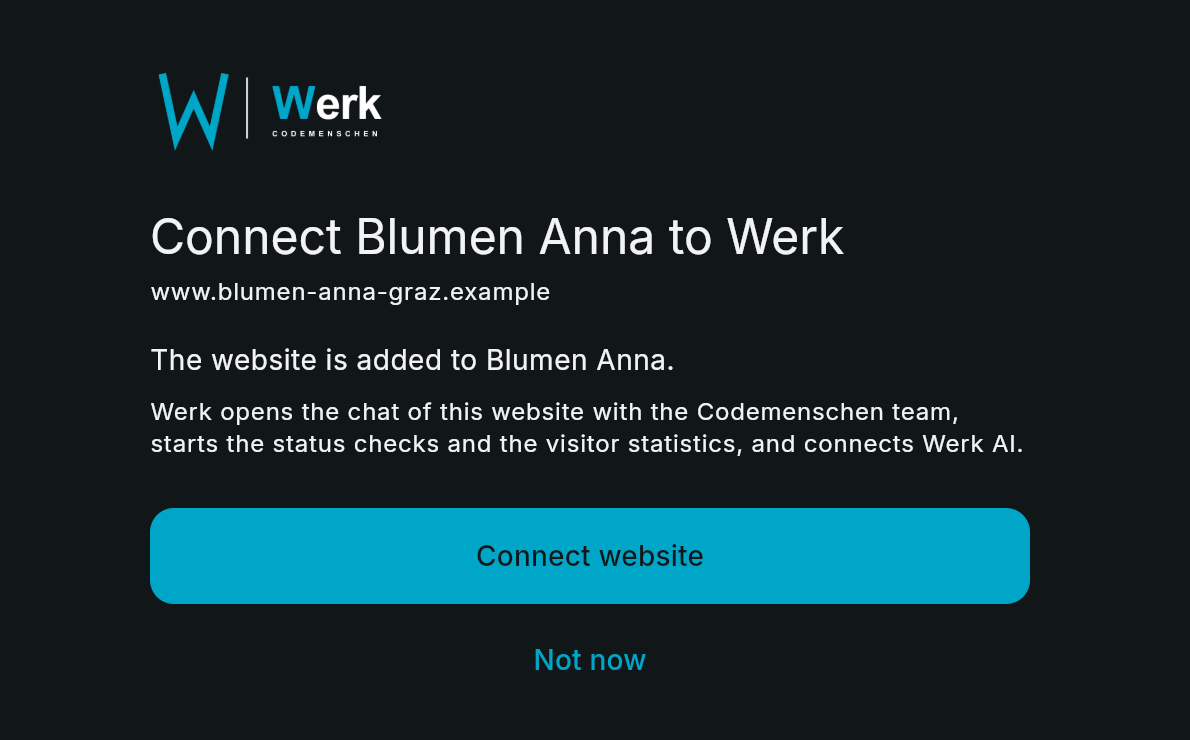
3. Done
Werk sends you back to WordPress and the plugin finishes by itself. The chat, the status checks, the statistics and the AI assistant are ready at once.

Werk checks that the request really comes from your own domain before it connects anything. Nobody can connect a website they do not run.
Safe by design
- The plugin reads data. It does not change your website on its own.
- The AI works with your WordPress user and your rights. New content is a draft, published content changes only after Apply.
- The AI never publishes, never deletes and never touches plugins, themes or files.
- Passwords for your hosting stay with our team. The AI never sees one.
- Logging in needs only your e-mail address, once per device.
Questions and answers
Do I need to install anything on my computer?
No. Werk runs in the browser at werk.codemenschen.at. There is also a Werk app if you prefer it.
Can my colleagues use it too?
Yes. Invite them by e-mail from inside Werk. They see the same websites and the same chats.
My website does not run on WordPress.
The chat and the tasks work for every website, and the analytics need one small script tag. The status checks, maintenance and the drafts of the AI need WordPress with the Werk Probe.
What does the plugin cost?
The Werk Probe is free. Write to us about looking after your website, and we tell you what fits.
Get started
Download the Codemenschen Werk Probe, click Connect to Werk and write your first message. We are looking forward to it.