images
  • Pricing
  • Demo
  • FAQ’s
  • Docs
  • Support
  • Login
Buy now

Creating Access Key ID and Secret key

ACF S3 Media Files Documentation

  • Download the free version
  • Download the premium version
  • Installation Instructions
  • Plugin Settings
  • Compatibility
  • AWS S3 Guideline
    • Get started with creating Buckets
    • Creating Access Key ID and Secret key
    • Setting the AWS Region
    • Cross-Origin Resource Sharing (CORS)
    • Using cross-origin resource sharing (CORS)
    • Video Guide
  • Changelog
  • Video Guide
  1. Home
  2. Docs
  3. ACF S3 Media Files Documentation
  4. Protected: AWS S3 Guideline
  5. Creating Access Key ID and Secret key

Creating Access Key ID and Secret key

To get this, you must create an IAM User

Step 1:  Go to the IAM dashboard.


Step 2: From the dashboard choose User and choose Add User.

 

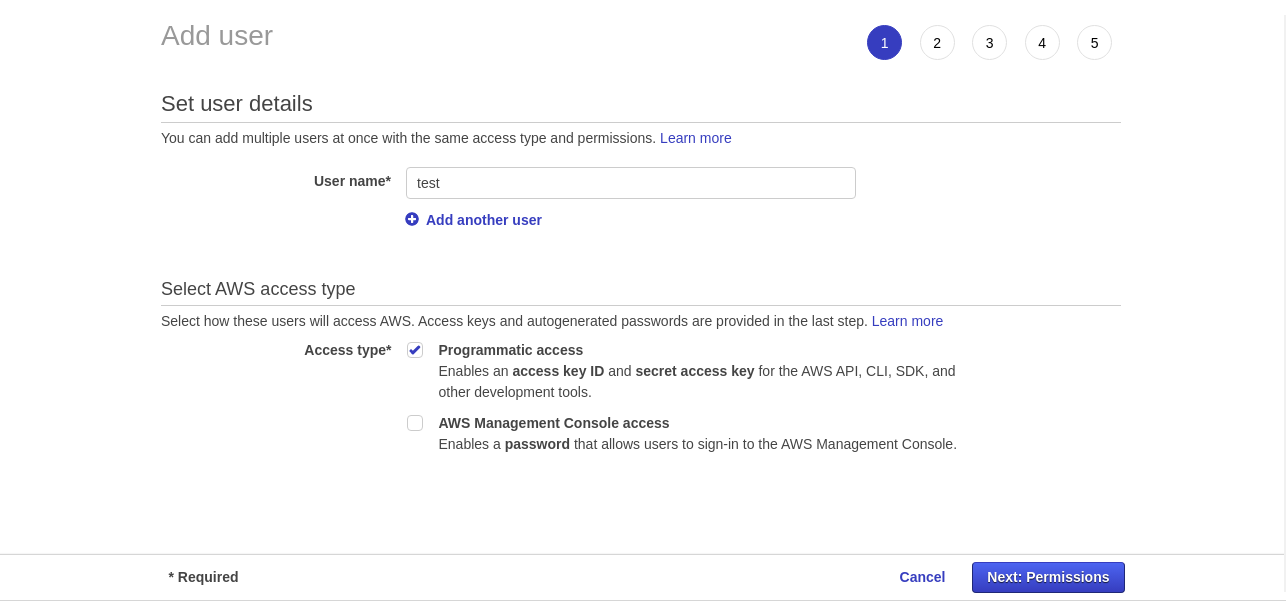
Step 3: Next enter your username and select Programmatic Access
 

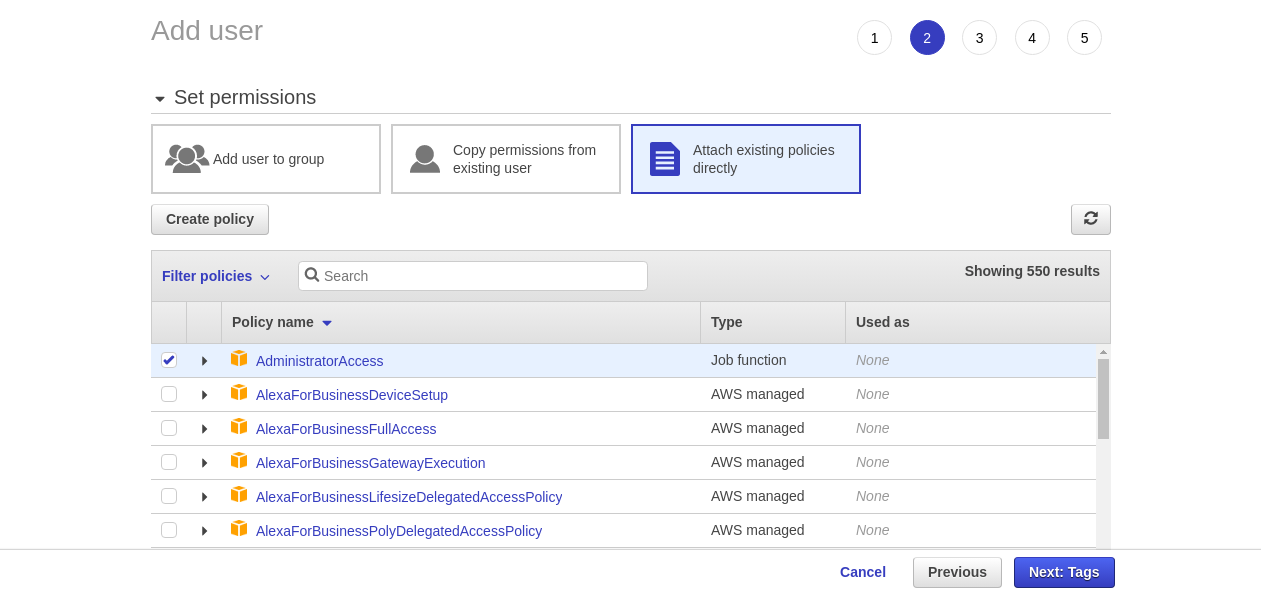
Step 4: On the next page, select Attach Existing Policy and add tags.
 

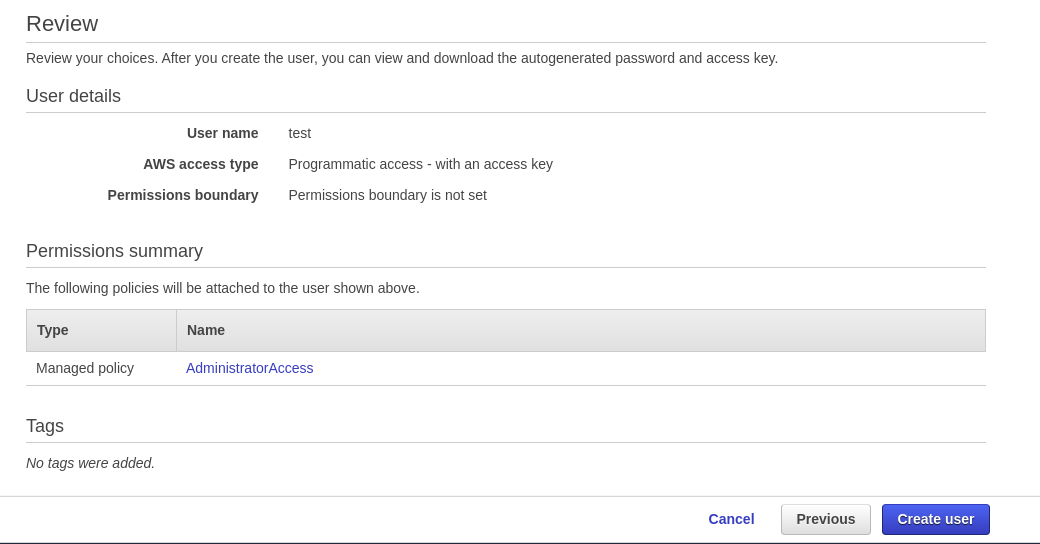
Step 5: On page review, check the information and click create user.
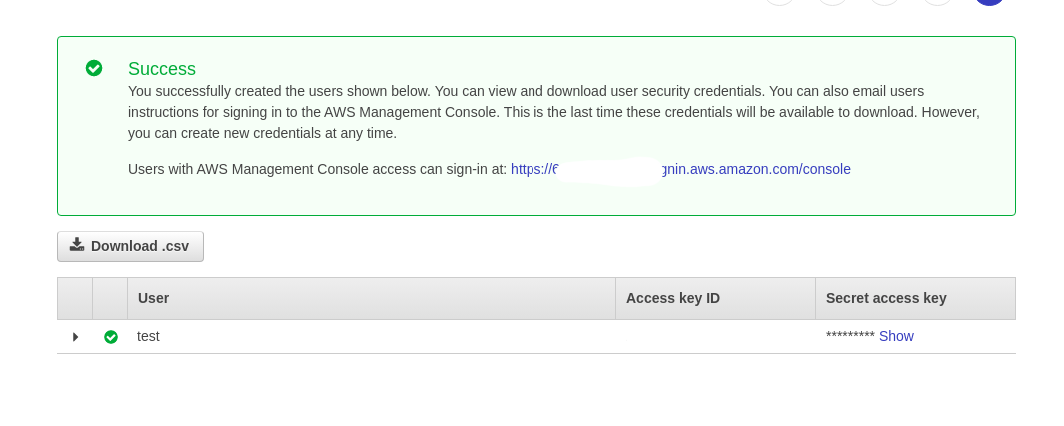
Step 6: You will receive an Access Key ID and Secret key after creating the user.
Updated on December 3, 2021

Doc navigation

← Get started with creating BucketsSetting the AWS Region →
images
    • Pricing
    • Demo
    • FAQ’s
    • Docs
    • Support
    • History
    • Blog