
images
  • Pricing
  • Demo
  • FAQ’s
  • Docs
  • Support
  • Login
Buy now

Get started with creating Buckets

ACF S3 Media Files Documentation

  • Download the free version
  • Download the premium version
  • Installation Instructions
  • Plugin Settings
  • Compatibility
  • AWS S3 Guideline
    • Get started with creating Buckets
    • Creating Access Key ID and Secret key
    • Setting the AWS Region
    • Cross-Origin Resource Sharing (CORS)
    • Using cross-origin resource sharing (CORS)
    • Video Guide
  • Changelog
  • Video Guide
  1. Home
  2. Docs
  3. ACF S3 Media Files Documentation
  4. Protected: AWS S3 Guideline
  5. Get started with creating Buckets

Get started with creating Buckets

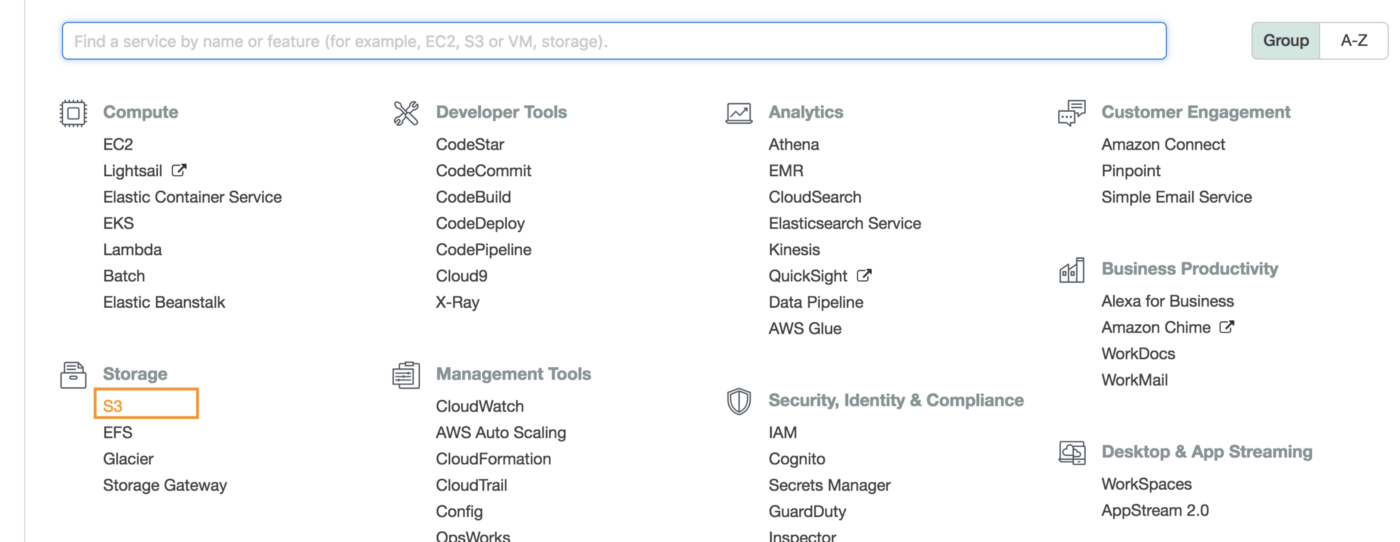
Step 1: Once your account is set up, log in to your AWS dashboard.
https://console.aws.amazon.com  and select s3 from the service menu.
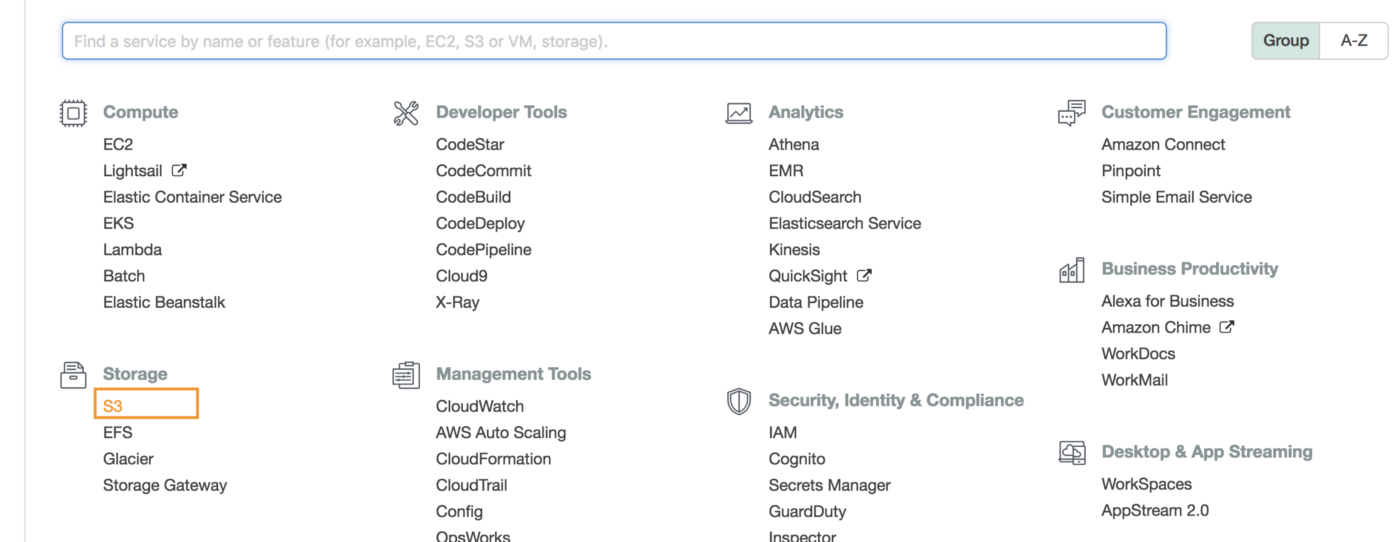
 

You can also choose S3 from the storage section.
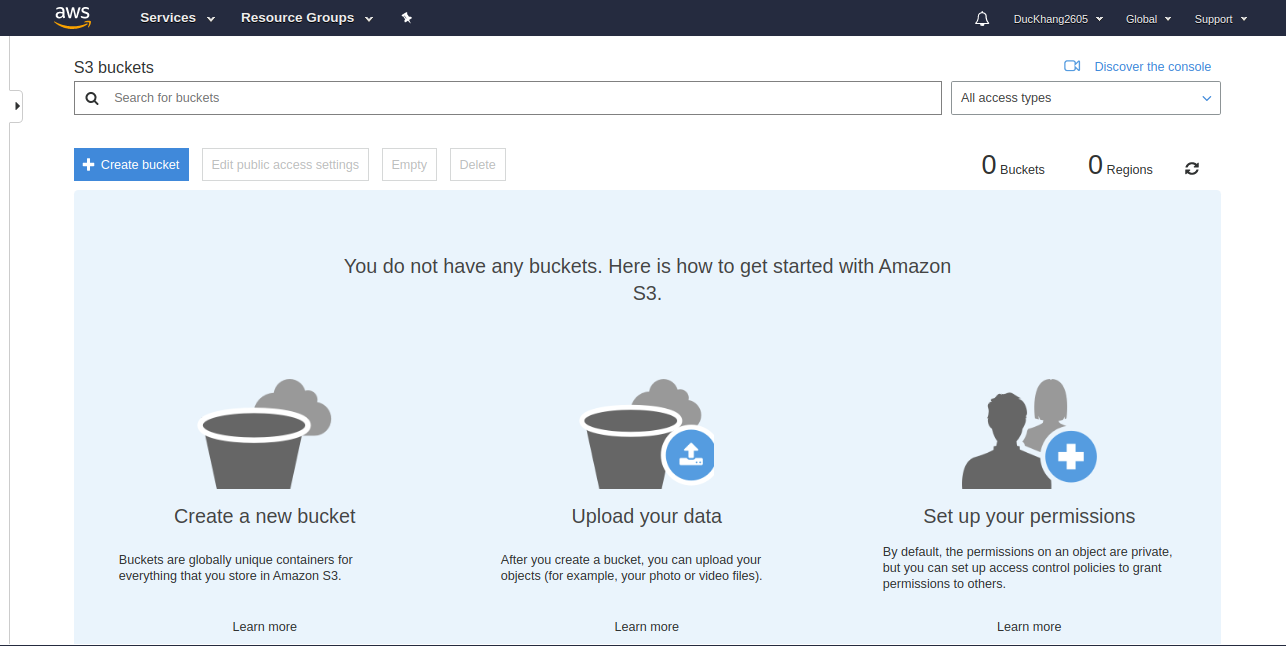
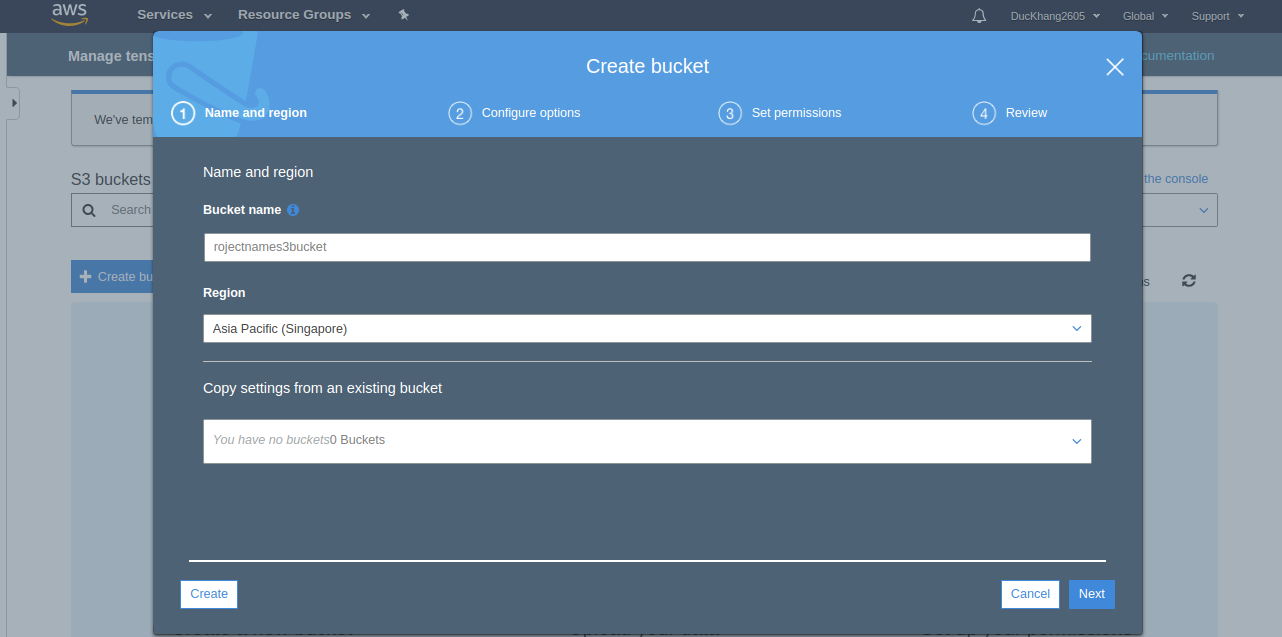
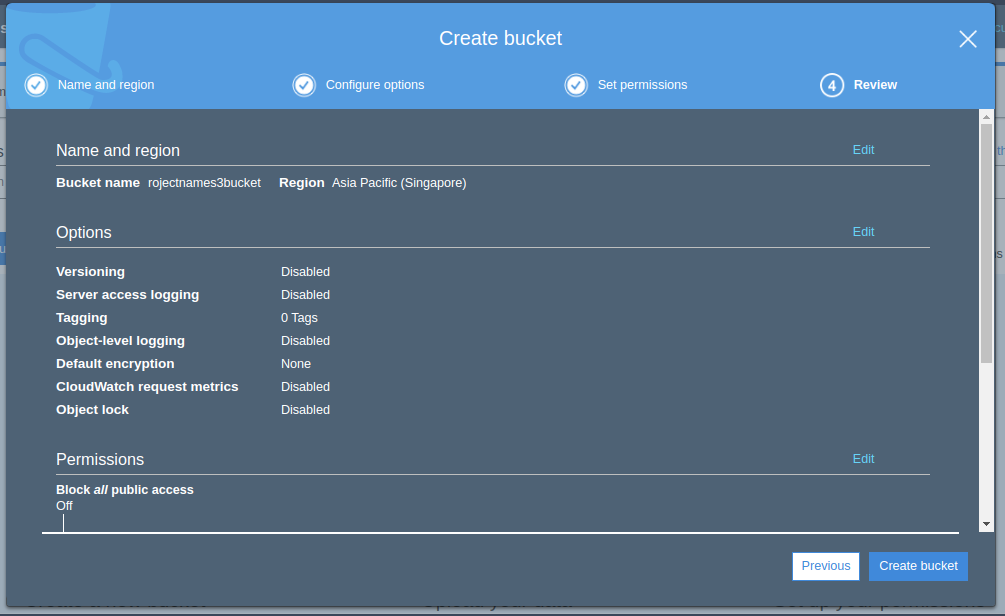
and then create your S3 Bucket. You can come up with any of the available names. The name S3 is global and you cannot use the name already used by anyone else. For example, you can create one with your project name similar. projectnameS3bucket.


Step 2: Select an area near you and click create.
 

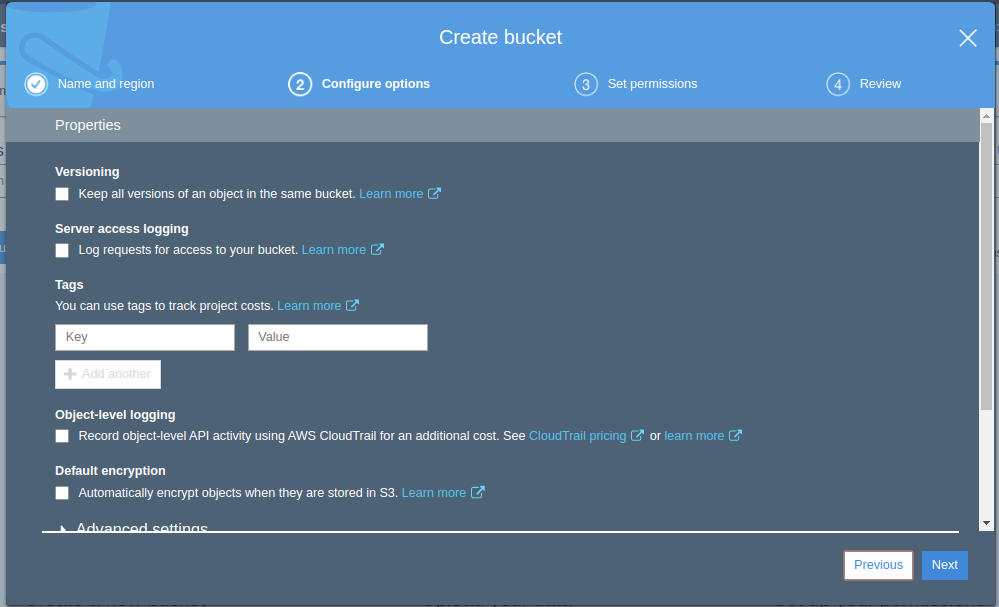
Step 3: On the next page, there are configuration options, a number of option related to version and set logging.
 

Step 4: Next setting Permissions for the bucket. If you do not want to change anything you can click Next.
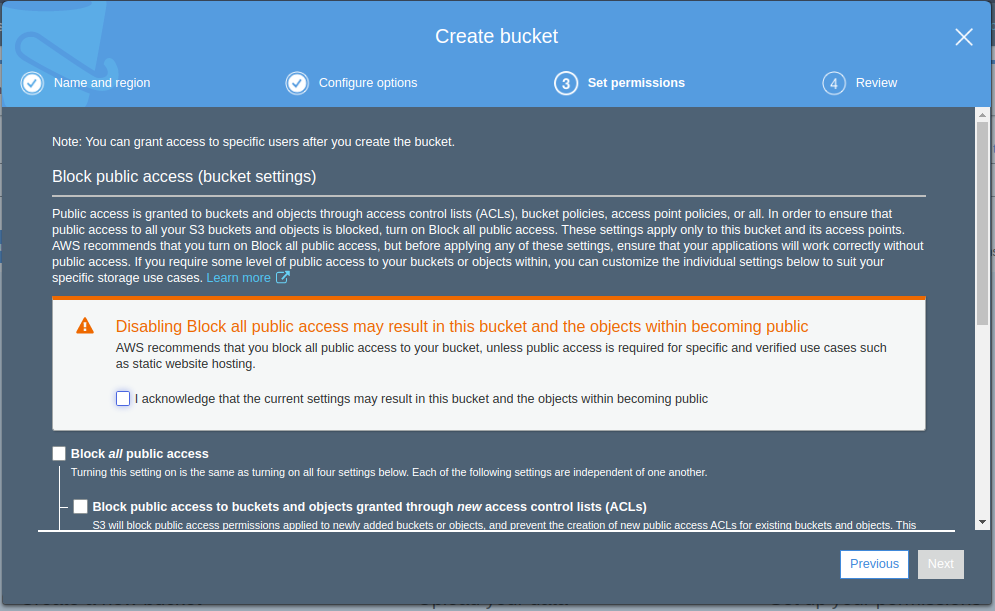
 

Step 5: You can then review all bucket settings. Create a bucket.
 

Finally: Bucket is created and you can check it.
Updated on December 3, 2021

Doc navigation

Creating Access Key ID and Secret key →
images
    • Pricing
    • Demo
    • FAQ’s
    • Docs
    • Support
    • History
    • Blog