
images
  • Pricing
  • Demo
  • FAQ’s
  • Docs
  • Support
  • Login
Buy now

Categories

Documentation

  • Getting started
    • Download the free version
    • Buy and download Gift Cards Pro
    • Install the plugin and activate the license
    • System requirements and compatibility
  • Plugin pages and shortcodes
    • Giftcard modern page
    • Giftcard standard page
    • Gift items page
    • PDF preview pages
    • Payment successful and cancelled pages
    • Check voucher balance page
  • Plugin settings
    • General settings
    • Payment settings
    • WooCommerce settings
    • Email settings
    • AI Backgrounds settings
  • Design templates and gift items
    • Giftcard modern templates
    • Create a template with the builder
    • Generate backgrounds with AI
    • AI credits
    • Giftcard standard templates
    • Gift items and packages
    • Categories
  • Display booking forms
  • Orders and vouchers
    • Manual orders
    • Email Center
  • Redeem vouchers
    • Via WooCommerce
    • In person
  • FAQ
  • Video guide
  • Changelog
  1. Home
  2. Docs
  3. Documentation
  4. Design templates and gift items
  5. Categories

Categories

Both template systems have their own categories, managed like WordPress tags:

  • Gift Cards Pro → Giftcard modern Categories: filters in the modern purchase flow.
  • Gift Cards Pro → Giftcard standard Categories: groups for standard templates and gift items; also usable in [wpgv_giftitems item_cat_id="…"].
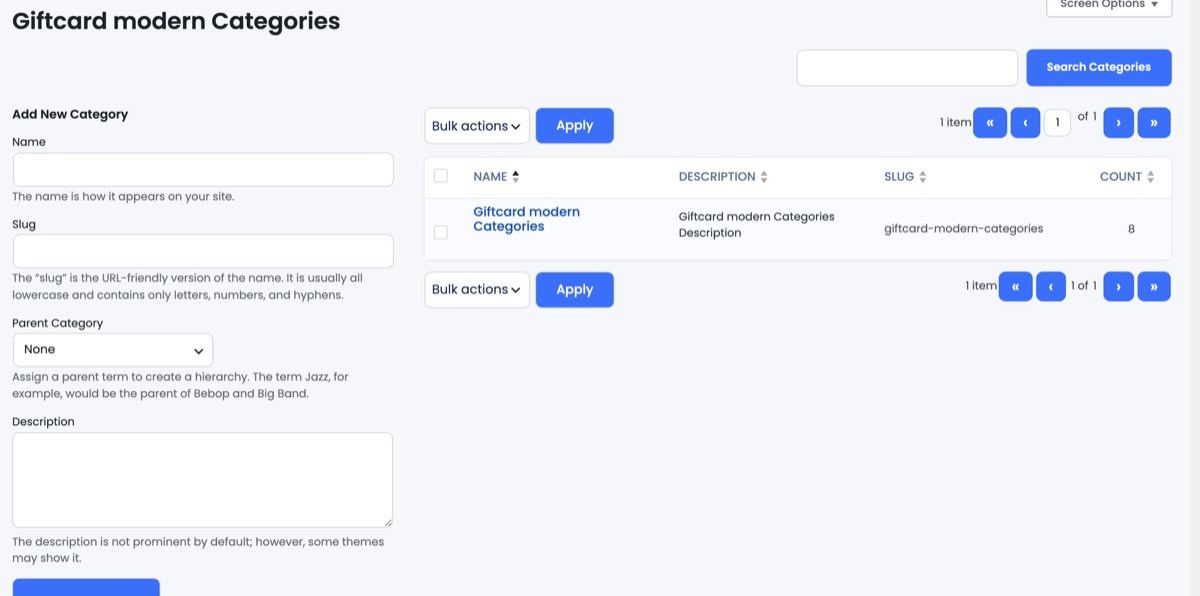
Adding a Giftcard modern category

Create a category with name, slug and optional description, then assign it in the template’s sidebar. Categories without active templates are not shown on the front end.

Updated on August 29, 2026

Doc navigation

← Gift items and packages
images
    • Pricing
    • Demo
    • FAQ’s
    • Docs
    • Support
    • History
    • Blog