
images
  • Pricing
  • Demo
  • FAQ’s
  • Docs
  • Support
  • Login
Buy now

AI Backgrounds settings

Documentation

  • Getting started
    • Download the free version
    • Buy and download Gift Cards Pro
    • Install the plugin and activate the license
    • System requirements and compatibility
  • Plugin pages and shortcodes
    • Giftcard modern page
    • Giftcard standard page
    • Gift items page
    • PDF preview pages
    • Payment successful and cancelled pages
    • Check voucher balance page
  • Plugin settings
    • General settings
    • Payment settings
    • WooCommerce settings
    • Email settings
    • AI Backgrounds settings
  • Design templates and gift items
    • Giftcard modern templates
    • Create a template with the builder
    • Generate backgrounds with AI
    • AI credits
    • Giftcard standard templates
    • Gift items and packages
    • Categories
  • Display booking forms
  • Orders and vouchers
    • Manual orders
    • Email Center
  • Redeem vouchers
    • Via WooCommerce
    • In person
  • FAQ
  • Video guide
  • Changelog
  1. Home
  2. Docs
  3. Documentation
  4. Plugin settings
  5. AI Backgrounds settings

AI Backgrounds settings

The AI Backgrounds tab (Gift Cards Pro 4.7 and later) controls the “Generate with AI” feature of the template builder.
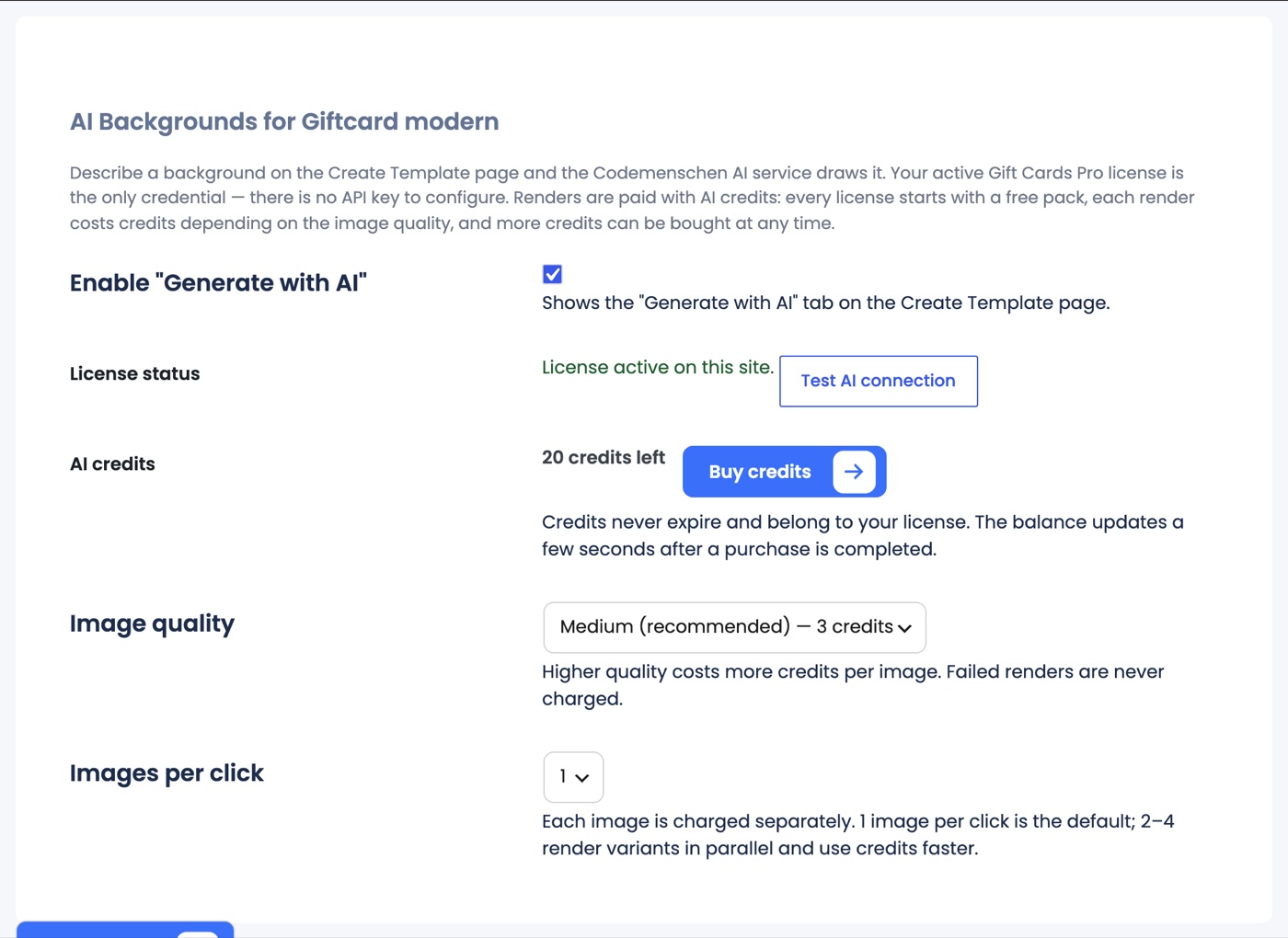
Settings → AI Backgrounds: enable switch, license status with Test AI connection, AI credits with Buy credits, image quality and images per click
  • Enable “Generate with AI”: shows the tab on the Create Template page.
  • License status: the AI service is unlocked by your active Gift Cards Pro license; there is no API key to enter. Test AI connection checks that your site can reach the service.
  • AI credits: your current balance and a Buy credits button that opens the store with your license pre-filled. See AI credits.
  • Image quality: Low (1 credit), Medium (3 credits, recommended) or High (10 credits) per image; the panel lets you change it per render.
  • Images per click: 1 (default) to 4 variants per click; each image is charged separately.
Updated on August 29, 2026

Doc navigation

← Email settings
images
    • Pricing
    • Demo
    • FAQ’s
    • Docs
    • Support
    • History
    • Blog