
images
  • Pricing
  • Demo
  • FAQ’s
  • Docs
  • Support
  • Login
Buy now

Email Center

Email Center

⌘K
  • Gift Cards Pro
    • Getting started
      • Download the free version
      • Buy and download Gift Cards Pro
      • Install the plugin and activate the license
      • System requirements and compatibility
    • Plugin pages and shortcodes
      • Giftcard modern page
      • Giftcard standard page
      • Gift items page
      • PDF preview pages
      • Payment successful and cancelled pages
      • Check voucher balance page
    • Plugin settings
      • General settings
      • Payment settings
      • WooCommerce settings
      • Email settings
      • AI Backgrounds settings
    • Design templates and gift items
      • Giftcard modern templates
      • Create a template with the builder
      • Generate backgrounds with AI
      • AI credits
      • Giftcard standard templates
      • Gift items and packages
      • Categories
    • Display booking forms
    • Orders and vouchers
      • Manual orders
      • Email Center
    • Redeem vouchers
      • Via WooCommerce
      • In person
    • FAQ
    • Video guide
    • Changelog
  • Codemenschen Werk Probe
    • Installation
    • Connect to Werk
    • What Werk sees
    • Werk AI and drafts
    • Visitor statistics
    • Requirements
    • FAQ
  • Autoupdate Plugins & Themes
    • Download the free version
    • Download the premium version
    • Installation Instructions
    • Plugin Settings
    • Video Guide
    • Changelog
  • Joomla Giftcard Extension – Premium download
    • Joomla Giftcard Extension – Document
  1. Home
  2. Docs
  3. Gift Cards Pro
  4. Orders and vouchers
  5. Email Center

Email Center

Gift Cards Pro → Email Center (4.6.4 and later) tracks every voucher email to a recipient.
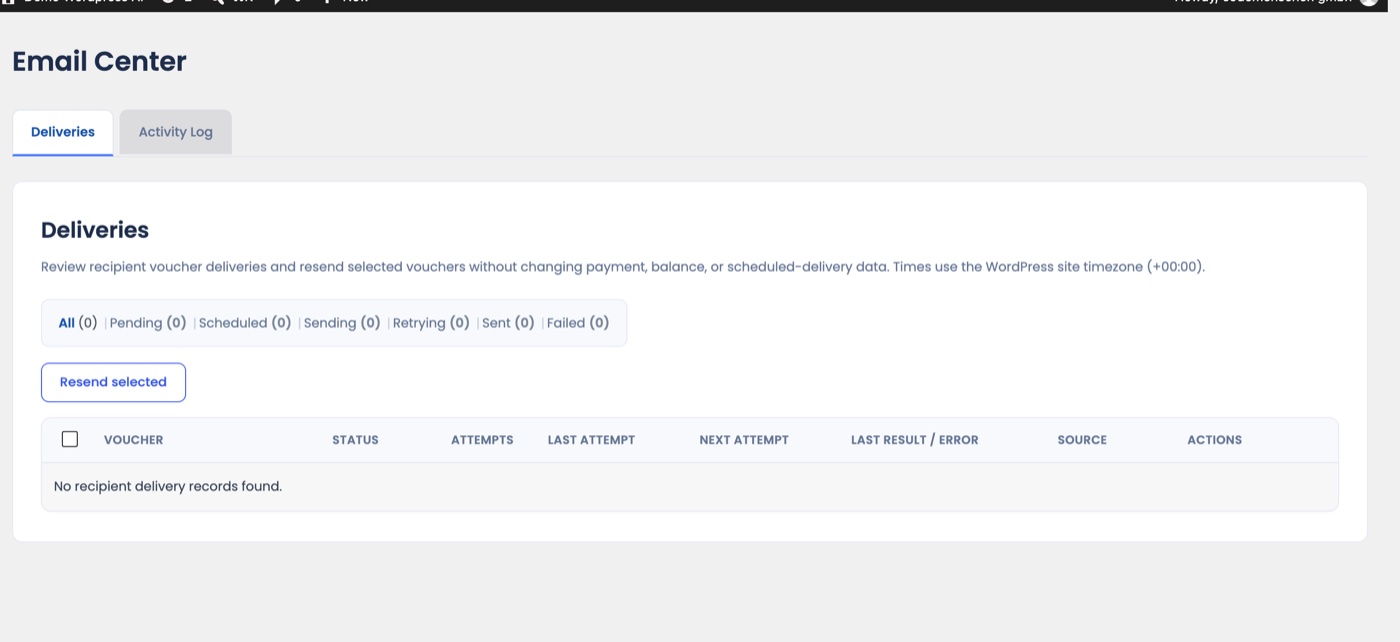
The Email Center: Deliveries tab with status filters, Resend selected button and the delivery table
  • Deliveries: one row per recipient email with status (Pending, Scheduled, Sending, Retrying, Sent, Failed), attempts, last and next attempt, last result or error and the source order.
  • Automatic retries: a failed send is retried after 5 minutes, 30 minutes and 2 hours before it is marked Failed.
  • Resend: tick one or up to 50 deliveries and click Resend selected. A resend never creates a payment, changes a balance or replaces a scheduled delivery.
  • Activity Log: what was sent when, by whom.

“Sent” means WordPress handed the message to your mail server; whether it reaches the inbox depends on your SMTP/domain setup. Scheduled deliveries use the WordPress timezone and WP-Cron.

Updated on August 29, 2026

Doc navigation

← Manual ordersRedeem vouchers →
images
    • Pricing
    • Demo
    • FAQ’s
    • Docs
    • Support
    • History
    • Blog