
Open Gift Cards Pro → Settings and expand the Invoice section. These details are printed on the invoice attached to a gift card order. Save them with Save Invoice Settings.
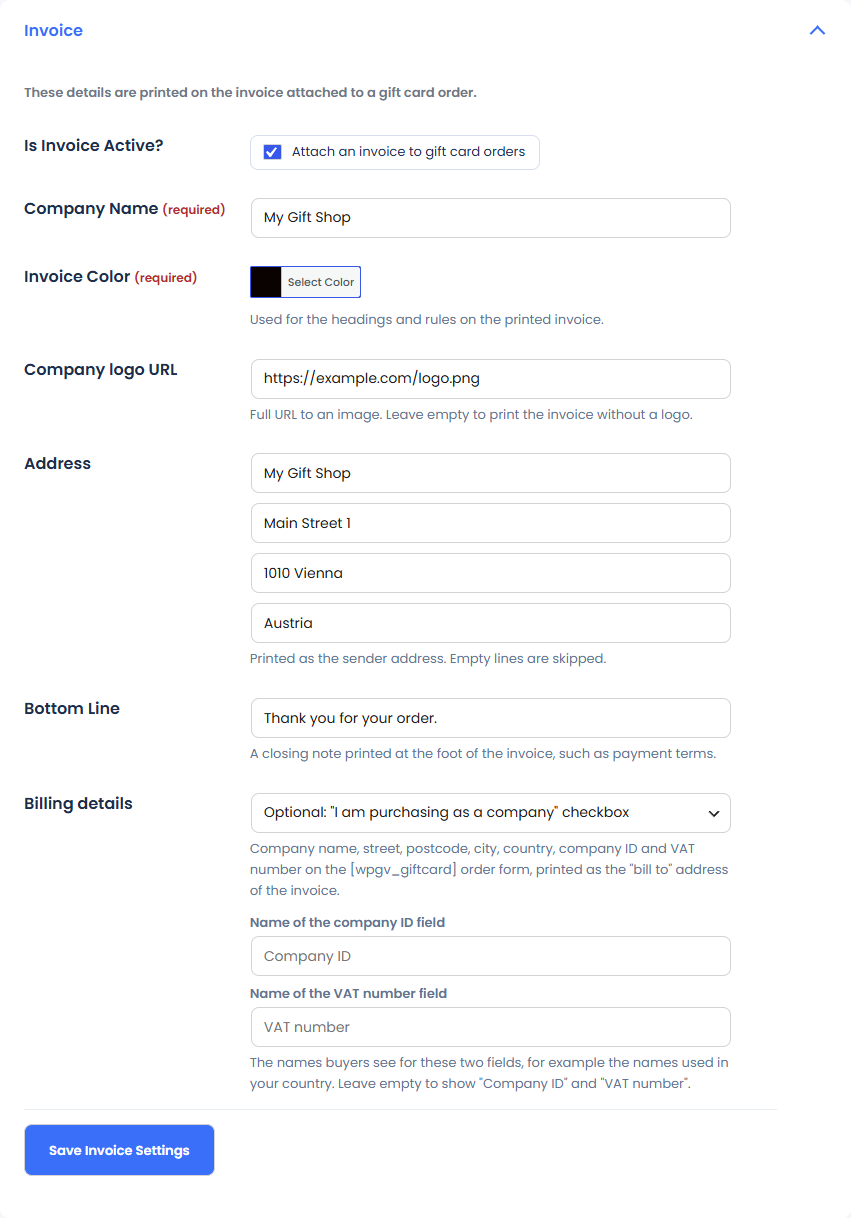
- Is Invoice Active?: tick Attach an invoice to gift card orders to switch invoices on.
- Company Name and Invoice Color (both required): the colour is used for the headings and rules on the printed invoice.
- Company logo URL: the full URL of an image. Leave it empty to print the invoice without a logo.
- Address: printed as the sender address. Empty lines are skipped.
- Bottom Line: a closing note at the foot of the invoice, such as payment terms.
Billing details
With Billing details, buyers can enter company name, street, postcode, city, country, company ID and VAT number on the [wpgv_giftcard] order form. These details are printed as the “bill to” address of the invoice.
- Off: the fields are not shown.
- Optional: the buyer sees an “I am purchasing as a company” checkbox.
- Required for every order: every buyer fills them in.
Name of the company ID field and Name of the VAT number field set the names buyers see, for example the names used in your country. Leave them empty to show “Company ID” and “VAT number”.