
images
  • Pricing
  • Demo
  • FAQ’s
  • Docs
  • Support
  • Login
Buy now

Email settings

Documentation

  • Getting started
    • Download the free version
    • Buy and download Gift Cards Pro
    • Install the plugin and activate the license
    • System requirements and compatibility
  • Plugin pages and shortcodes
    • Giftcard modern page
    • Giftcard standard page
    • Gift items page
    • PDF preview pages
    • Payment successful and cancelled pages
    • Check voucher balance page
  • Plugin settings
    • General settings
    • Payment settings
    • WooCommerce settings
    • Email settings
    • AI Backgrounds settings
  • Design templates and gift items
    • Giftcard modern templates
    • Create a template with the builder
    • Generate backgrounds with AI
    • AI credits
    • Giftcard standard templates
    • Gift items and packages
    • Categories
  • Display booking forms
  • Orders and vouchers
    • Manual orders
    • Email Center
  • Redeem vouchers
    • Via WooCommerce
    • In person
  • FAQ
  • Video guide
  • Changelog
  1. Home
  2. Docs
  3. Documentation
  4. Plugin settings
  5. Email settings

Email settings

The Email Settings tab defines sender and texts of all emails; each text has a Visual and a Code editor.
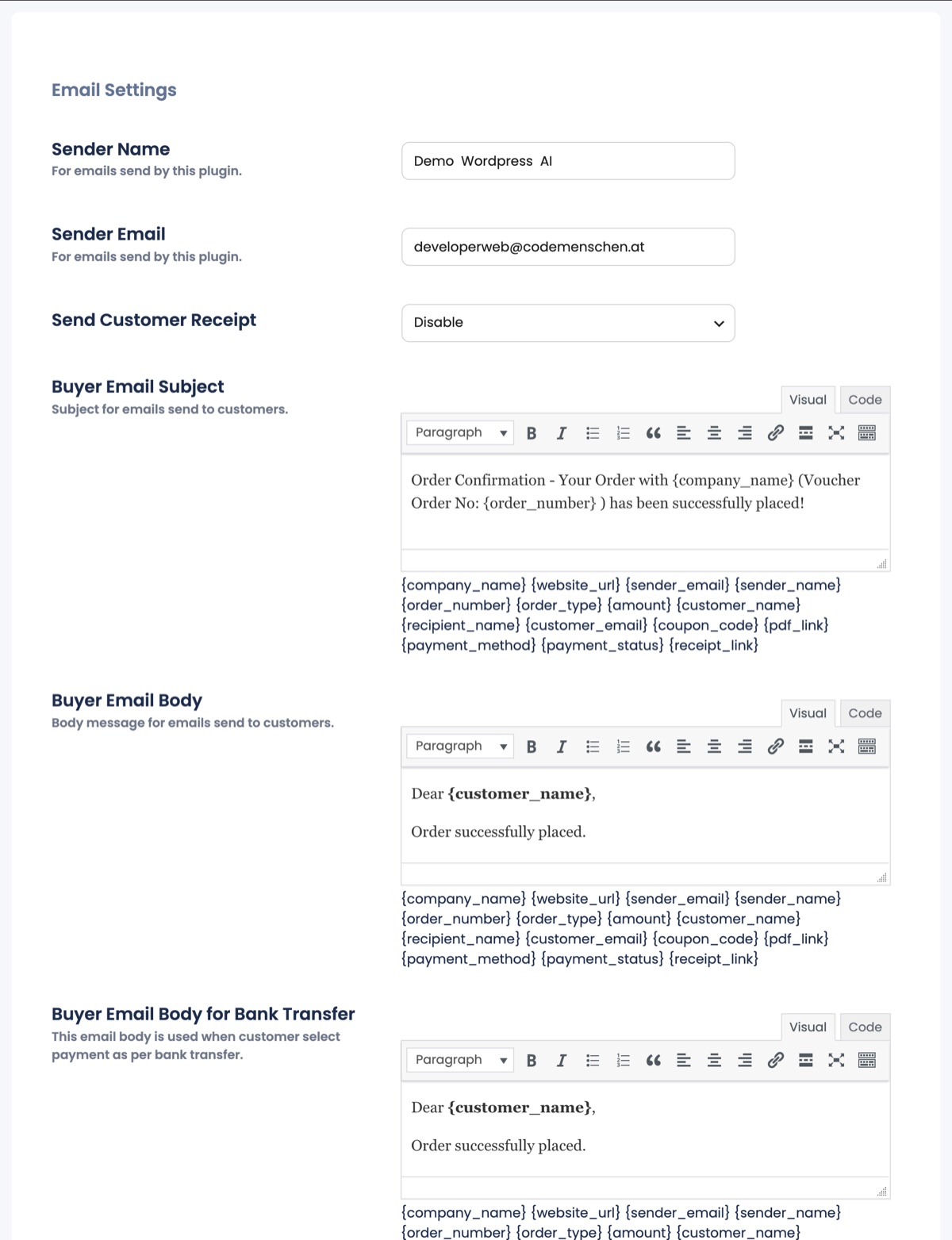
The Email Settings tab with sender fields and the buyer email editors
  • Sender Name / Sender Email: use an address of your own domain; free-mail addresses often end in spam.
  • Send Customer Receipt: attach a PDF receipt for the buyer.
  • Buyer Email Subject / Body: confirmation for the person who paid; Buyer Email Body for Bank Transfer is used for invoice orders and should contain your bank details.
  • Recipient Email Subject / Body: the email that carries the voucher PDF to the gift recipient.
  • Admin Email Subject / Body: the notification you receive for every order.

Placeholders you can use in subjects and bodies: {company_name} {website_url} {sender_name} {sender_email} {order_number} {order_type} {amount} {customer_name} {customer_email} {recipient_name} {coupon_code} {pdf_link} {payment_method} {payment_status} {receipt_link}.

Deliveries, retries and resending are handled in the Email Center. The plugin sends through WordPress’ mail function, so an SMTP plugin is recommended for reliable delivery.

Updated on August 29, 2026

Doc navigation

← WooCommerce settingsAI Backgrounds settings →
images
    • Pricing
    • Demo
    • FAQ’s
    • Docs
    • Support
    • History
    • Blog