images
  • Pricing
  • Demo
  • FAQ’s
  • Docs
  • Support
  • Login
Buy now

Plugin settings

Plugin settings

⌘K
  • Gift Cards Pro
    • Getting started
      • Download the free version
      • Buy and download Gift Cards Pro
      • Install the plugin and activate the license
      • System requirements and compatibility
      • User roles and permissions
    • Plugin pages and shortcodes
      • Designer cards page
      • Image cards page
      • Image cards in list view (gift items)
      • PDF preview pages
      • Payment successful and cancelled pages
      • Check voucher balance page
    • Plugin settings
      • General settings
      • Payment settings
      • WooCommerce settings
      • Selling gift cards with WooCommerce
      • Email settings
      • AI Backgrounds settings
      • Invoice settings
    • Design templates and gift items
      • Designer cards
      • Create a template with the builder
      • Generate backgrounds with AI
      • AI credits
      • Image cards
      • Gift items and packages
      • Categories
    • Display booking forms
    • Orders and vouchers
      • Order details
      • Manual orders
      • Email Center
      • Import and export
    • Redeem vouchers
      • Via WooCommerce
      • In person
      • Staff redeem page
    • FAQ
    • Video guide
    • Changelog
  • Codemenschen Werk Probe
    • Installation
    • Connect to Werk
    • What Werk sees
    • Werk AI and drafts
    • Visitor statistics
    • Requirements
    • FAQ
  • Autoupdate Plugins & Themes
    • Download the free version
    • Download the premium version
    • Installation Instructions
    • Plugin Settings
    • Video Guide
    • Changelog
  • Joomla Giftcard Extension – Premium download
    • Joomla Giftcard Extension – Document
  1. Home
  2. Docs
  3. Gift Cards Pro
  4. Plugin settings

Plugin settings

Gift Cards Pro → Settings is one page with expandable sections: General Settings, Payment Settings, Woo Settings, Redemption Restrictions, Email Settings, Custom CSS, Quotes, AI Backgrounds, Invoice and License. Each section is saved with its own save button. Invoice holds the settings for the PDF invoices (on or off, colour, logo, address, bottom line and billing details); License holds your license key.
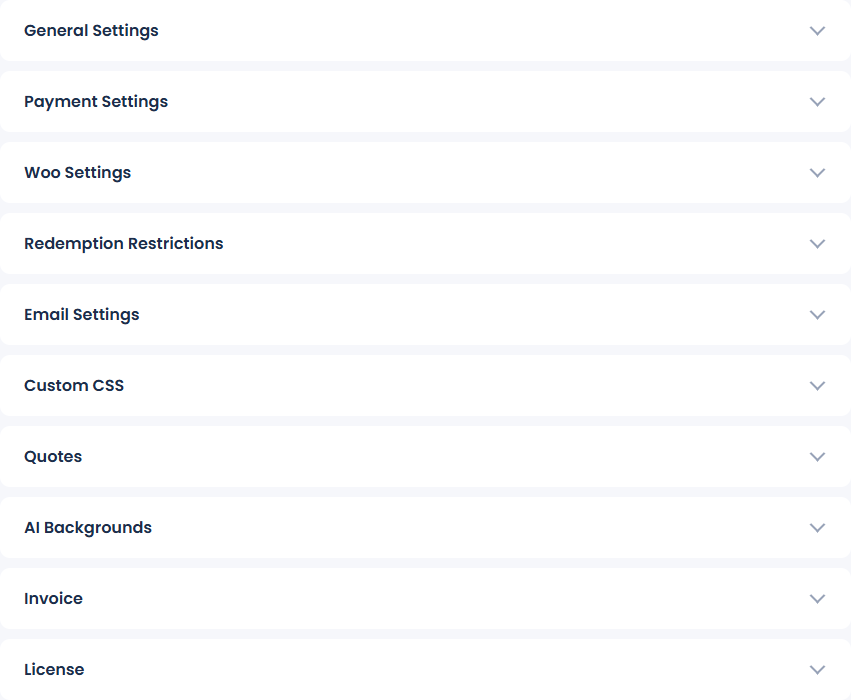
The Settings page with its expandable sections

In this section

  • General settings
  • Payment settings
  • WooCommerce settings
  • Selling gift cards with WooCommerce
  • Email settings
  • AI Backgrounds settings
  • Invoice settings
Updated on November 4, 2026

Doc navigation

← Check voucher balance pageGeneral settings →
images
    • Pricing
    • Demo
    • FAQ’s
    • Docs
    • Support
    • History
    • Blog